Last Updated on January 30, 2025
Google Ads Campaigns
This training will cover the Google Ads campaigns that we work with at Sebo Marketing. The campaign type you will work with the most is Search, but it is important to be familiar with all the campaign types. When you have completed the training you will take the exam. Throughout the training, if you have any questions, email the Fulfillment Manager.
Types of Google Ads Campaigns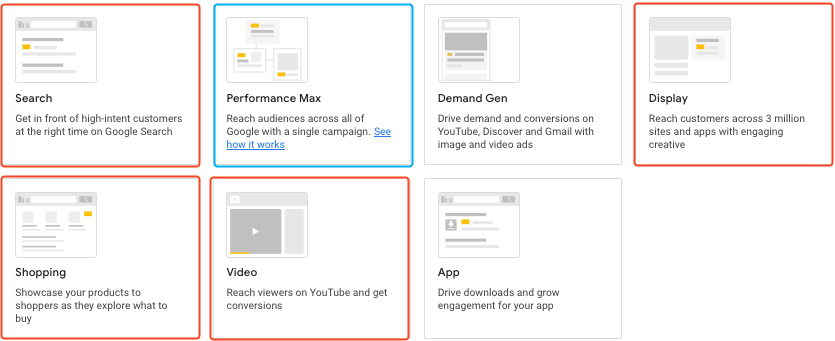
When you create a new campaign, there are multiple kinds of campaigns that you can create. The image shows all the types of campaigns that can be created. Highlighted in red are the ones that you will see and use the most often. Highlighted in blue is the Performance Max (PMAX) campaign, which is a campaign type that contains elements from each of the campaign types (search, display, video, shopping, and demand gen). PMAX campaigns are still fairly new, but are becoming more and more popular. In this training, we will focus on the four highlighted campaign types, but it is important to understand how the other campaigns work.
Search Campaigns
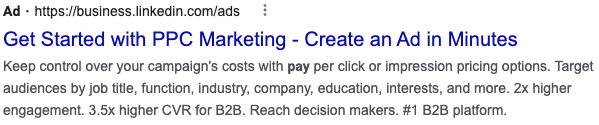
Search campaigns are the most common type of campaign you will work with. This campaign type utilizes the search network to target people actively searching on Google Search or one of Google’s search partners. The ads you create here will show on the search engine results page (SERP) when there is a query made that matches one of the target keywords. The ads you create in a search campaign are called responsive search ads.
Display Campaigns
A display campaign targets ads on websites within the display network. The display network is a collection of websites that have opted into showing Google ads on their site. Unlike with Search ads, advertisers don’t use keywords to target their display ads. The main way advertisers target their display ads are by using Google-defined audiences, choosing specific websites, or by targeting websites matching target keywords. There are two main types of ads used on the display network: image ads and responsive display ads.
For the exam, you will not need to know all the details in the video below; however, the video will be a helpful resource when you are working with Display campaigns. Watch the video for your training, but do not worry about remembering all the processes for setup.
Shopping Campaigns
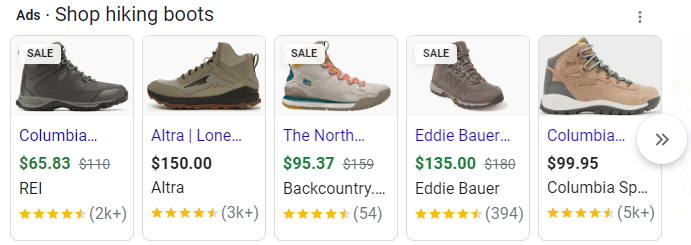
A shopping campaign shows ads on Google search for specific products. When a product is searched for, shopping ads may be shown above or to the side of the search ads. The ads contain the products name, picture, price, reviews, and description. When clicked on, the user will be directed to the products page.
Video Campaigns
Video campaigns manage ads that show on YouTube. As with the display network, there are multiple ways to target these ads. An advertiser can target the ads to a specific audience, on specific types of videos, in results for certain queries, and other ways. The ads are videos that can range in length, but generally, are best to be kept short.
Video campaigns contain several types of video ads that are described in this video:
App Campaigns
These campaigns are only shown on apps. Google designs your ads from your assets.
Smart Campaigns
These campaigns are mostly automated by Google. We do not use them a lot because they do not provide as much control as other campaigns. With Smart campaigns you pick keyword themes and can write your ads. You also choose the budget and Google will take it from there.
Performance Max
These campaigns are fully automated campaigns. You provide assets and Google uses machine learning to do the rest.
Discovery Campaigns
This is Google’s answer to social media. Discovery ads is a unique, media-specific campaign that meets consumers where they spend a significant amount of their time: browsing content in a feed-based environment. Consumers are looking for meaningful content and reputable sources with their inspiration, and they are finding it on Google’s feeds
Campaign Settings
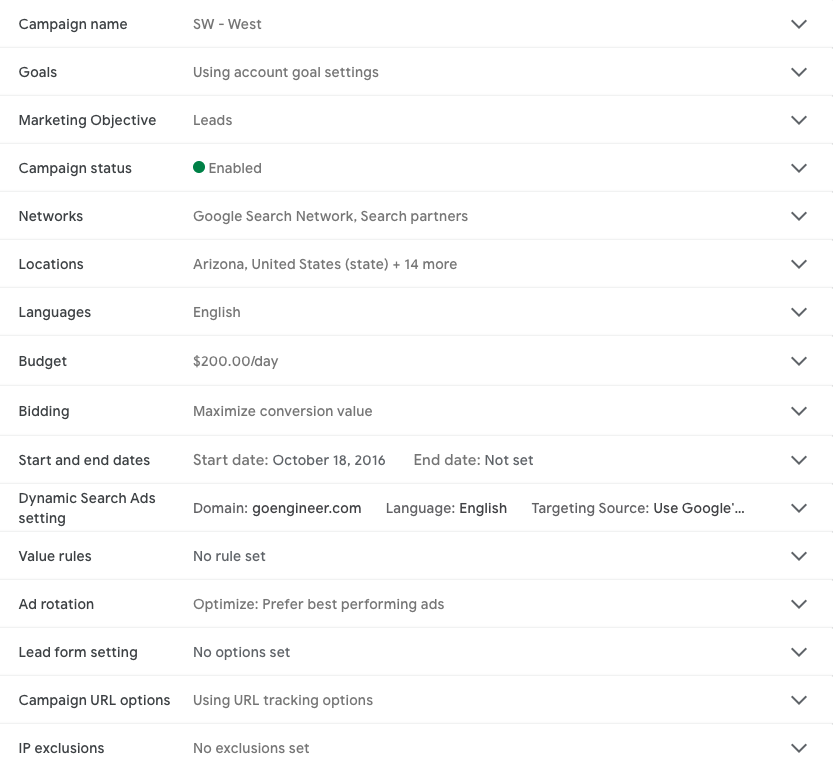
There are multiple settings that are specific to the campaign level. The image to the right shows the settings for a search network campaign. There are slight variations to the settings for other campaign types.
At the campaign level, you can set the budget, locations, bidding strategy, campaign type, marketing objective, language, goals, value rules, ad rotation, and some others.
The settings you’ll deal with the most are budget, locations, and bidding strategy.
- Budget: the average daily spend over the course of a month
- Location: what locations the ads are targeted to
- Bidding strategy: six different methods to determine the bid in the ad auction (you’ll learn more soon)
In general, you want to be careful in changing any of these settings. They are higher level strategy changes and, typically, you should discuss any changes in these settings with the MC. However, it’s helpful to know why you would want to make changes to these settings.
Budget changes should be considered under any of the following conditions:
- The campaign has a high ROI and is limited by budget. Increasing the budget should increase the profits.
- Reallocate the budget from a poorer performing campaign to a better performing campaign that’s limited by budget.
Location changes should be considered under any of the following conditions:
- The campaign is limited by budget, and a specific location performs better than another.
- The campaign has a high ROI and expanding the location targeting will increase the relevant traffic.
Bidding strategy changes should be considered under any of the following conditions:
- The campaign isn’t automated and there is enough volume to justify testing an automated bidding strategy.
- The current bidding strategy doesn’t fit with best practices while a different one does
- This will most likely depend on if the conversions and conversion value are accurate and if the campaign is limited by budget.
Campaign Objective
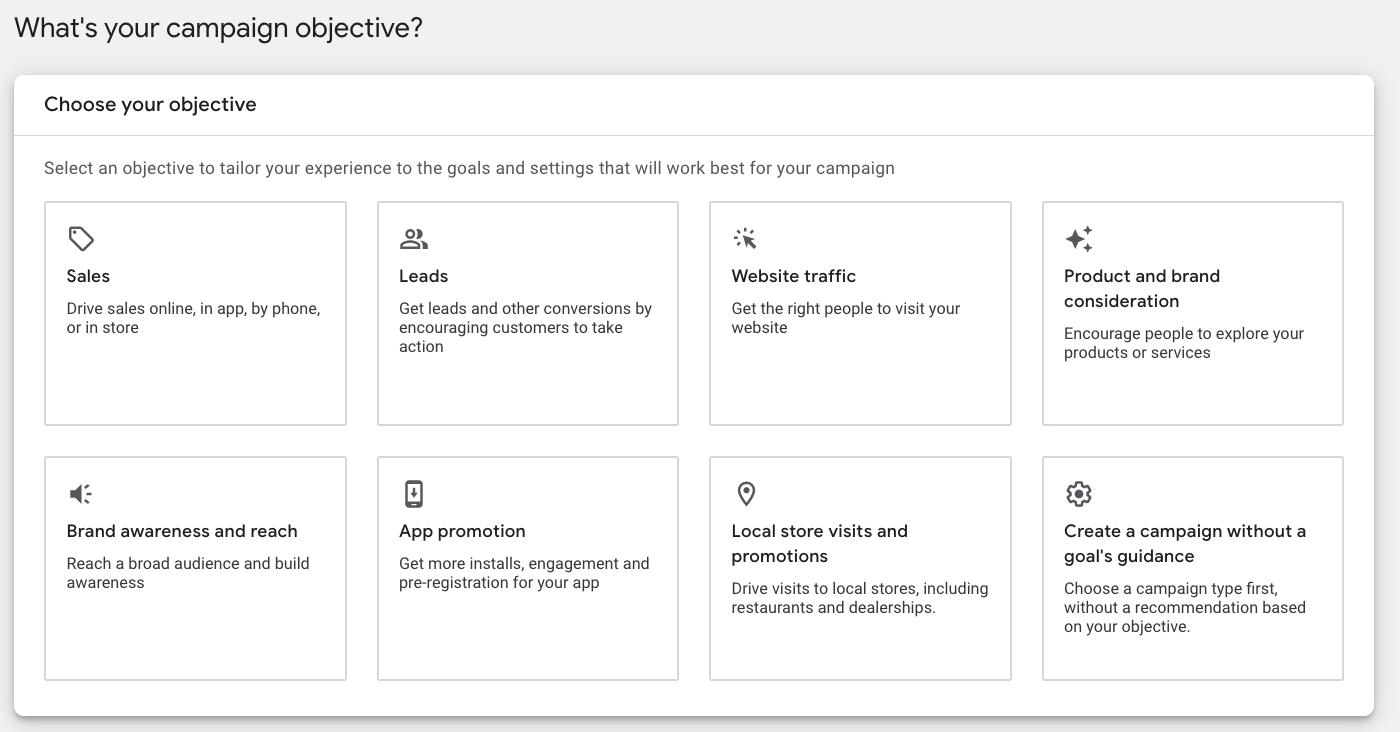
Most of our clients will use a sales or leads campaign objective – meaning their goal is to get someone to buy something or fill out a form.
Bidding Strategy
If you assumed that bidding strategy is important because it’s getting its own section, you’d be correct. As you learned above, one of the main factors affecting ad rank (and the ultimate position of the ad) is the keyword bid. The bid is how much you are willing to pay for a click, and the bidding strategy is key in determining the bid.
There are six main bidding strategies. Each with its own ideal circumstances in which it should be used. There are two categories of bidding strategies: manual and automated. There is only one manual bidding strategy; the other five are automated. 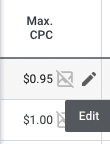
The manual bidding strategy is called Manual CPC. With manual CPC, the advertiser chooses the Max CPC for each keyword. The Max CPC is the maximum the advertiser is willing to pay for a click. The only way to change the Max CPC for a keyword is to sign in to the account and make the change at the keyword level. (You can also set Max CPC at an ad group level, but if there is a Max CPC set for a keyword, that will supersede the ad group’s Max CPC.)
The automated bidding strategies are:
- Maximize clicks
- Maximize conversions
- Target CPA
- Maximize conversion value
- Target ROAS
We will go in to detail for all the bidding strategies in a later training.
How many campaigns do you need?
There are multiple reasons why you would want to have multiple campaigns. Here they are:
- Better control over daily budgets
- To separate ad groups and control the budget of different topics
- To target separate locations
- To match the account structure with the client’s website
- To utilize different campaign types
- To target different languages
- To use different bid strategies for different sets of ad groups
- To target ads to search terms for *competitors’ brand or search terms for the client’s brand
*A competitor campaign targets searches for the competitors of the client. They usually perform worse than normal search campaigns, but can be a good strategy to test.
Review this video to see good recommendations for how to divide up campaigns. Typically at Sebo, we choose to create campaigns based on topic.
Creating a Search Campaign
- Sign in to your Google Ads account.
- From the page menu on the left, click Campaigns.
- Click the plus button , then select New campaign.
- Select one or more goals for your campaign.
- Select Search as your campaign type.
- Select any results you want to get from the campaign.
- Click Continue.
- Select your bidding strategy (more information on this in future training).
- Select Campaign settings.
- Make sure to uncheck the include Google Display Network (unless specifically instructed to include Display)
- Add locations you’d like to target.
- Make sure Automatically created assets are turned off.
- The rest of the settings should be fine to create a campaign.
- Add ad groups, keywords, and ads (more training to come).
- Enter your budget.
- Review.
- Create.
Way to go on finishing this module’s training. Below is the exam for this module. Fill out the form and press submit.