Last Updated on June 1, 2026
Schema is a map of your website that help tools such as Google and AI to pull information from your website. There are many different types of schema that can be setup on your website. Some examples are organization, local, product, faq, service, etc. Some of these can be found on multiple pages of your website. The purpose of the schema markup periodic check is to tell what relevant schema already exists on the site so we can tell what schema needs to be added.
How Do I Conduct A Schema Audit?
Use Google’s Structured Data Tool to see what markups your site is missing. The Rich Results test is your friend for this task. It helps you see how Google interprets the schema on your site. It can tell you what schema is missing, if your site’s page has no schema, or if it’s schema is working perfectly well. You can also check any errors in your schema using the Schema Markup Validator tool. This has been useful in the past to check things like product schema.
For the periodic check, there are a bunch of different types of schema that could be found on different pages of your website. Not all of these will be relevant for every client, so only select the applicable types for the website you are working on. From here you want to use the following steps and tips:
- Pick the most valuable pages of the website (we don’t usually go through each individual page, but just enough to get an idea of where the schema is at right now). The most valuable pages include but are not limited to: home page, service / product pages, pages with an FAQ section, log pages, location pages, review pages. Basically any pages you think would include the relevant schema you have selected. You may want to pick a couple of each, if applicable, to make sure the schema is consistent.
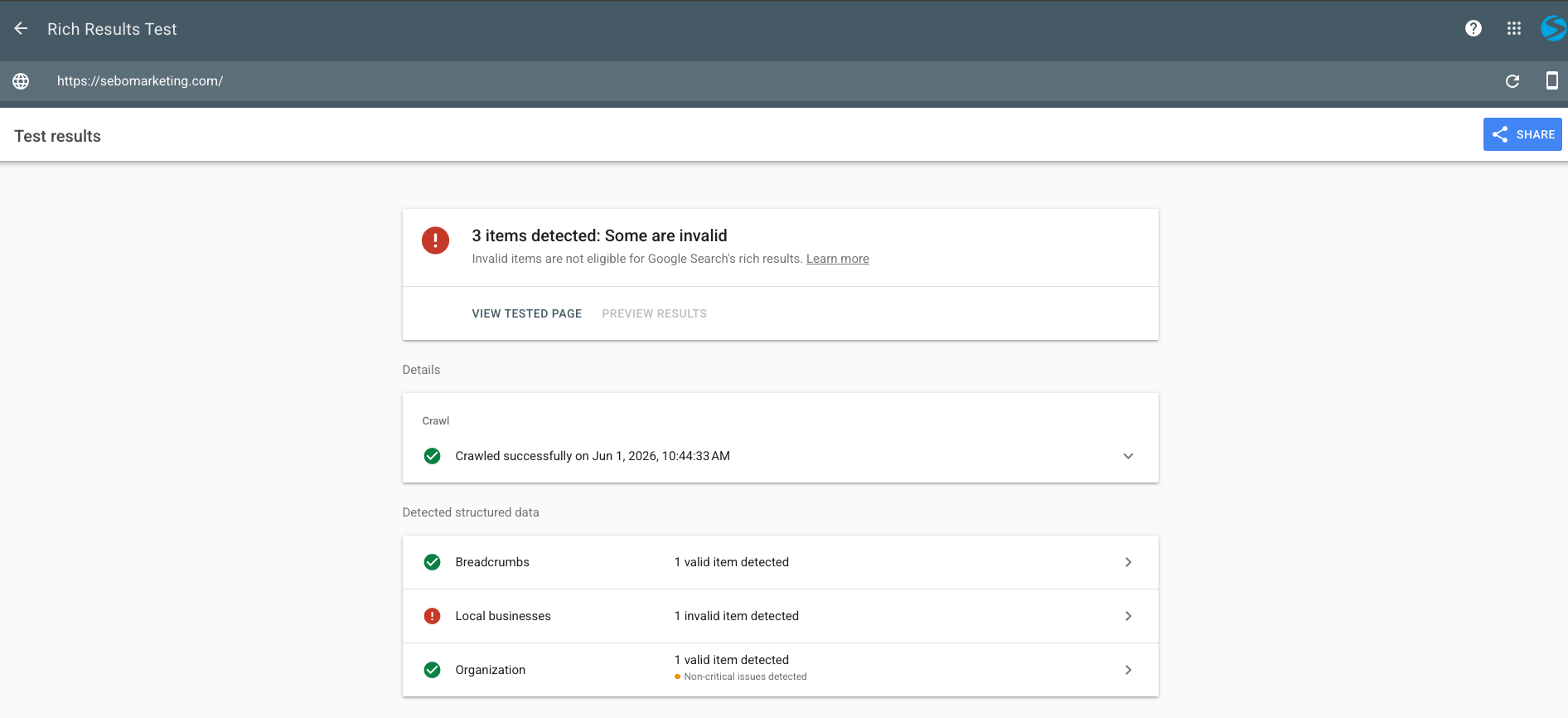
- Run Rich Results tests and determine if the schema is working. Plug each of your previously decided pages into the Rich Results test. Below is a picture of what you might see once you run a page through the Rich Results test. From this image, you can tell that the Sebo homepage currently has good organization schema, but there is an issue with the local business schema.
- List any known errors in the notes section of the check. Looking at the photo below, it would be good to note both the organization and local business schema and their issues in the corresponding sections. Breadcrumbs are never really something we need to worry about during an audit. If you click into each of the sections once a check is run, it can tell you what issues it detects. Some of these are critical and some are not. As a general rule of thumb, yellow errors are not usually anything that specifically needs to be listed in the check. However, you may mention some of the red errors. In the notes section, you can include things like which pages contain the schema, what errors there are, or anything else you think is relevant to add there.