
How to configure cross-domain tracking in Google Analytics 4?
Both websites (that you are going to include in cross-domain tracking) must use the SAME GA4 property installed. The code can be installed directly on the site (gtag) or via GTM. But it’s important that this happens in the same property.
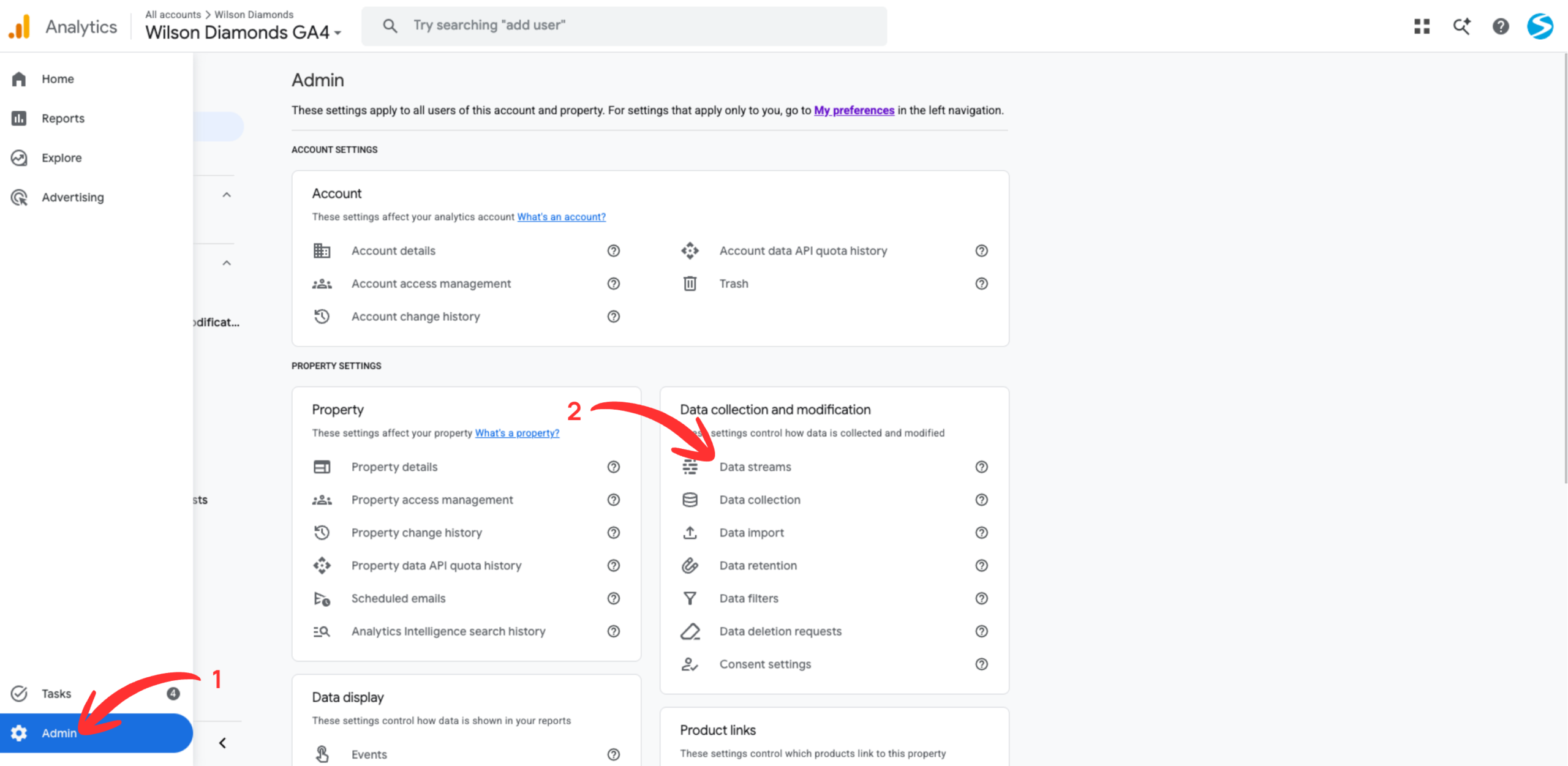
Step #1. Go to the Admin of Google Analytics
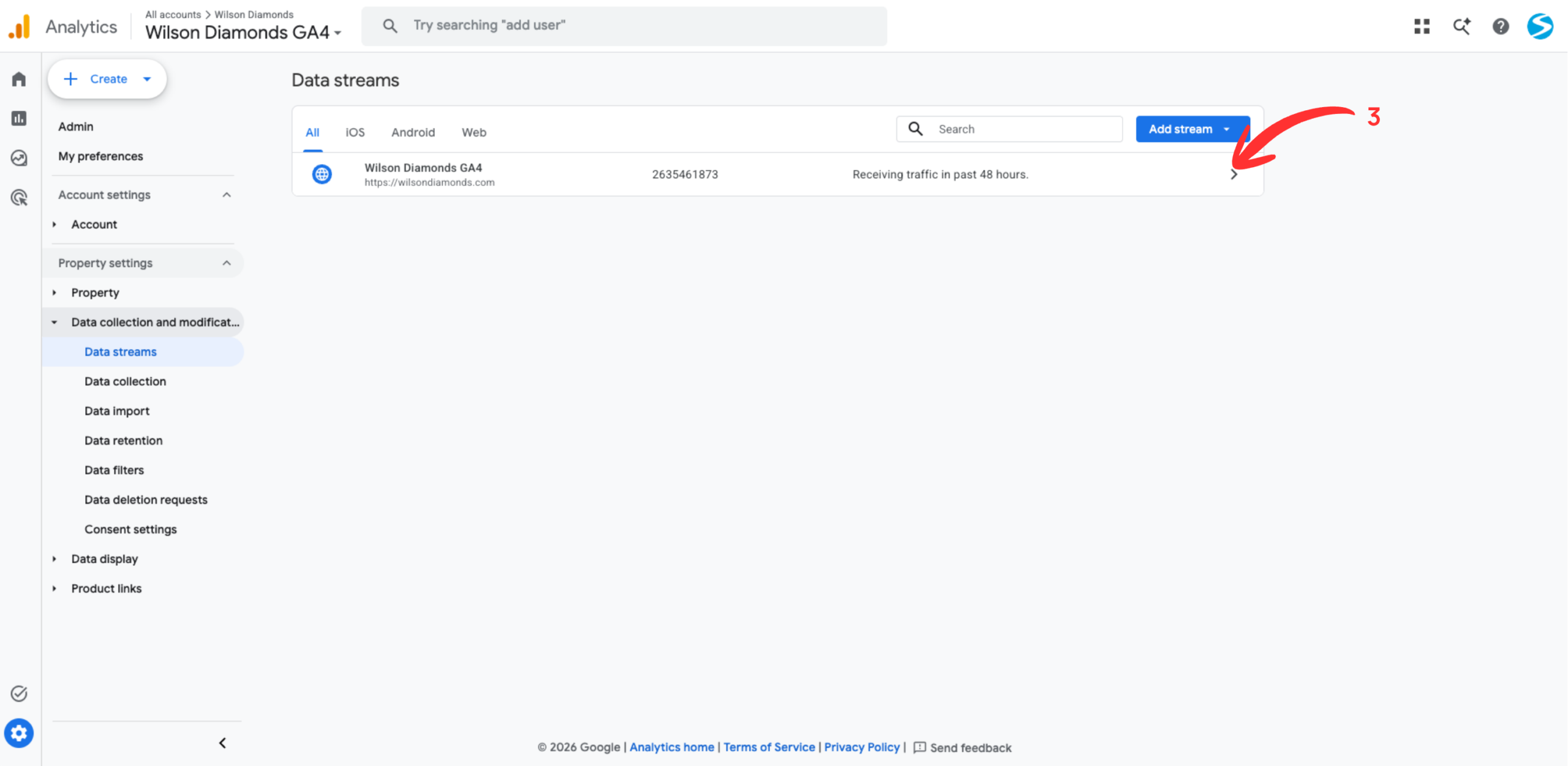
Step #2. Click on Data Streams
Step #3. Click the web data stream
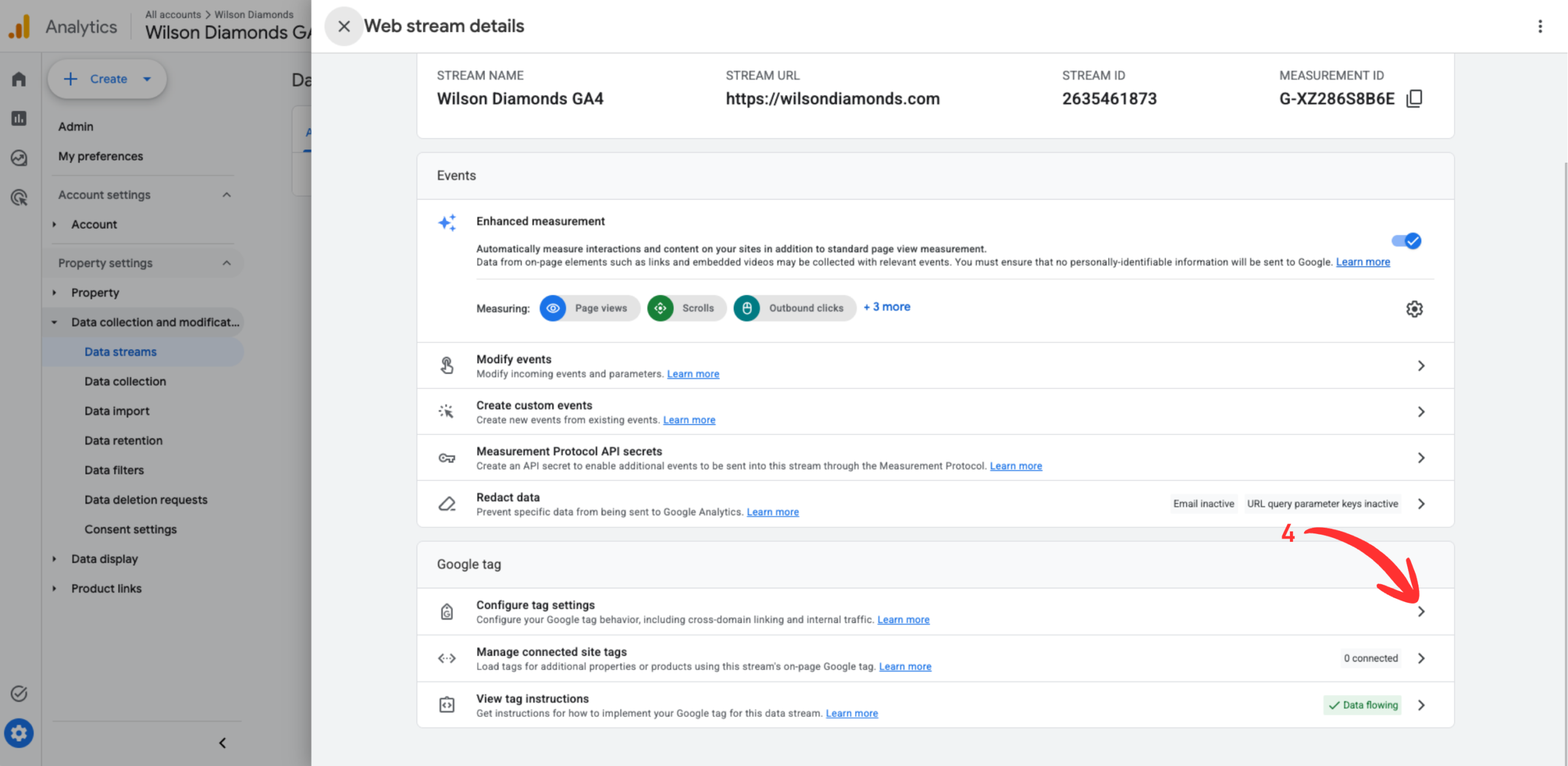
Step #4. Go to Configure tag settings.
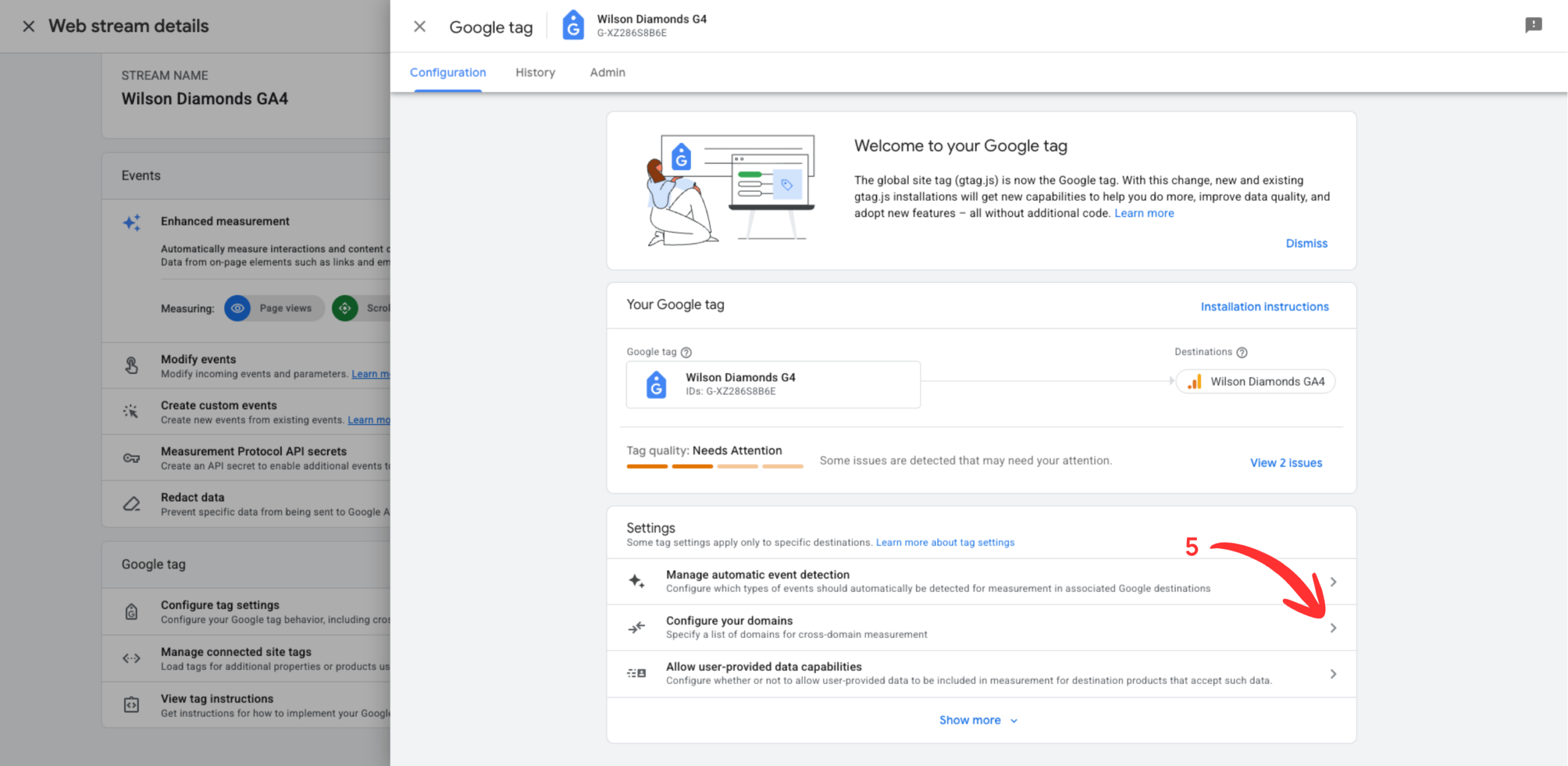
Step #5. Click Configure your domains
Step #6. Either click Add condition or, if the suggestions are correct, feel free to accept those instead of entering them in manually, and skip step 7.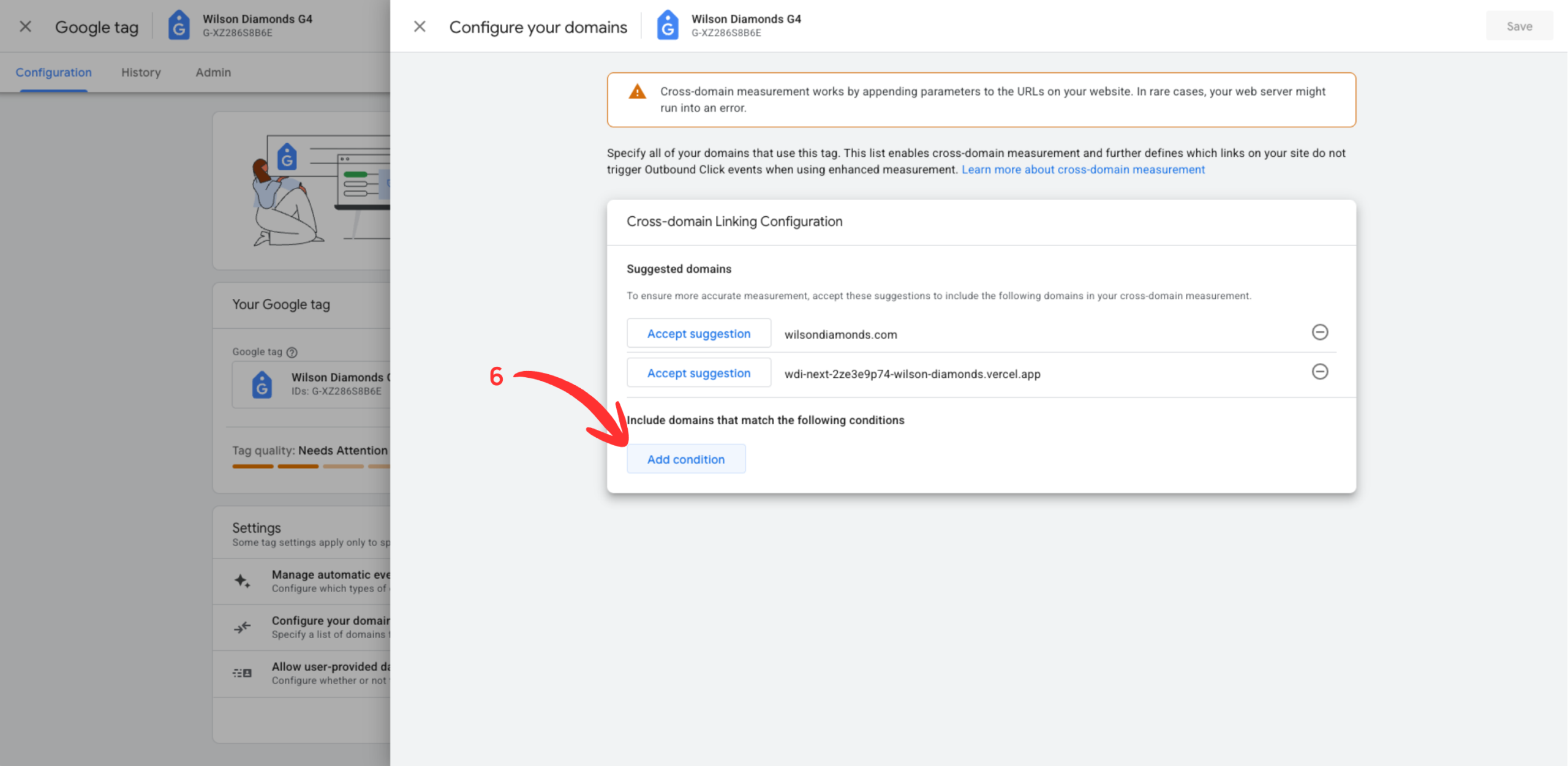
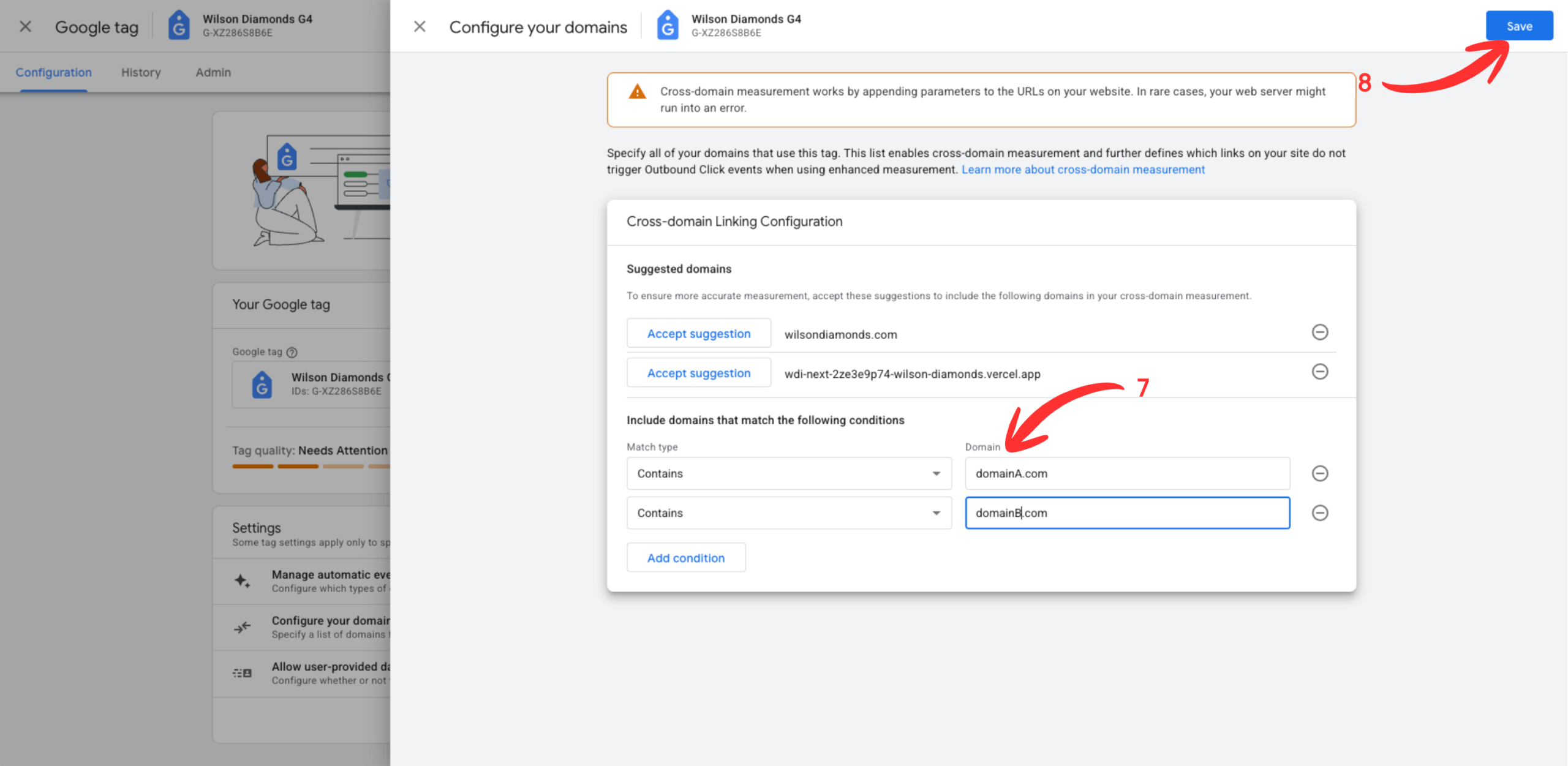
Step #7. Enter all domains that should be included in the cross-domain tracking setup.
Step #8. Hit the save button.
That’s it. You DON’T need to configure the referral exclusion list for this. GA will handle that automatically.